
Guide
Buying a used console – how to play it safe
Used consoles save money and conserve resources. With this checklist you can spot good offers, avoid typical pitfalls and know what rights you have.
Updated 7 min readEditorial team wokonsole.de
Why buy used?
Games consoles are robustly built and last many years with normal use. Used devices are often much cheaper than new ones, and for older models such as the first Nintendo Switch, the used market is frequently the only source. On top of that come sets with games and accessories that are cheaper as a package than bought individually.
The risk lies in hidden defects, missing accessories and dubious offers. If you know what to look out for, you can keep these risks well under control.
Shop or private seller: your rights
If you buy from a commercial seller in Germany, you have statutory warranty rights even on used goods. The period is normally two years, but for second-hand items it may be contractually shortened to one year. If a defect appears within the first year after handover, it is presumed in your favour that it already existed at the time of purchase. When buying online from a shop, you also usually have a 14-day right of withdrawal.
With private sales the warranty is usually excluded, and there is no right of withdrawal. That makes an accurate description, informative photos and an on-the-spot check all the more important. Refurbished devices from shops often combine a low price with a statutory warranty – a good middle way.
- Shop: statutory warranty, often one year for used goods
- Buying online from a shop: usually a 14-day right of withdrawal
- Private: usually no warranty and no right of withdrawal
- Manufacturer's guarantee: voluntary, often only valid with proof of purchase
Spotting banned and modified consoles
A common problem is consoles whose software has been modified. Manufacturers such as Nintendo ban such devices from their online service – after that, online games, the shop and updates no longer work. Phrases in listings such as modded, CFW, unpatched, jailbreak-capable or offline use only are warning signs. We hide such offers in our comparisons, but you should avoid them elsewhere too.
Ask the seller whether the console works online, and when collecting it, ask to see it connect to the internet and download updates. The previous owner should also have signed out of their account and reset the console to factory settings. With PlayStation and Xbox, this also concerns the primary console setting.
Checking the hardware: controllers, disc drive, fan
The controllers are the most heavily used part. Watch out for stick drift: the character or cursor moves even though you are not touching the stick. With Nintendo Joy-Con this is a well-known wear problem. Test all buttons, the shoulder buttons and, on PS5 controllers, the adaptive triggers.
On consoles with a disc drive, a disc should be recognised and launched reliably. The fan may be audible but should run evenly – loud rattling, whistling or strong revving even in the menu points to dust or wear. Also check the HDMI and charging ports for loose connections, and look closely at the display on handhelds.
- Test all controllers for stick drift
- Insert and launch a disc (on models with a drive)
- Fan noise in the menu and after a few minutes of play
- Check HDMI, USB and charging port for loose connections
- Check handheld displays for scratches, dead pixels and burn-in
Used and new Nintendo Switch compared
Ad All products linked with "View offer" are commission (affiliate) links: if you buy through them, we earn a commission – the price stays the same for you. As an Amazon Associate and eBay Partner Network affiliate we earn from qualifying purchases. Learn more
 Ad
Ad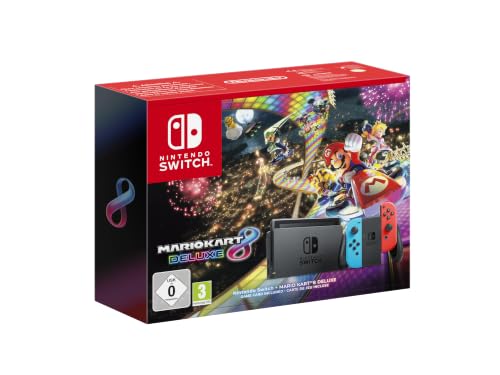 Ad
Ad Ad
AdNintendo Switch Konsole V2 Modell komplett und Reisetasche
 Ad
AdNintendo Switch Animal Crossing: New Horizons Edition Konsole NEU & …
Receipt, serial number and contents
A receipt proves that the console was acquired legitimately and is often a requirement for the manufacturer's guarantee. Compare the serial number on the receipt with the one on the device. A missing receipt is not automatically a problem, but it is a reason to ask more questions.
Clarify beforehand what is included: controller, power cable or adapter, HDMI cable, for the Switch the dock and Joy-Con grip, for the PS5 possibly the stand. Buying missing parts separately quickly adds up. Download codes from bundles should be verifiably unused.
PS5 offers – new and used
Ad All products linked with "View offer" are commission (affiliate) links: if you buy through them, we earn a commission – the price stays the same for you. As an Amazon Associate and eBay Partner Network affiliate we earn from qualifying purchases. Learn more
 Ad
Ad Ad
AdSony PlayStation 5 Digital Edition 825 GB Heimkonsole 4K UHD Wi‑Fi HDMI …
 Ad
Ad Ad
AdSpotting dubious offers
Especially with sought-after consoles, bait offers keep cropping up: new devices far below the usual price, pre-orders without a clear delivery date or sellers without ratings who push for payment in advance by bank transfer. On marketplaces, always pay via the methods with buyer protection offered there, and never outside the platform.
In our comparisons we apply minimum prices per console so that conspicuously cheap offers don't appear in the first place. That doesn't replace your own look at seller ratings and the description, though.
- Price well below market level: be careful
- No ratings, pressure to pay quickly: stay away
- Only pay with the platform's buyer protection
After the purchase
Reset the console to factory settings once more yourself, install all system updates and sign in with your own account. Carefully clean dust from the vents and place the console somewhere well ventilated. Keep the receipt and proof of purchase – you will need them if a defect does appear.
Platform-specific points
With the PS5, it is worth checking the model: the original Digital Edition cannot be upgraded with a disc drive, whereas the Slim Digital can. With the Pro, because of the high price, pay particular attention to the receipt and serial number. With the Xbox, it is important that the console has been unlinked from the previous owner's Microsoft account; with the Series S, check whether a controller is included at all.
Nintendo has the most variants. With the first Switch, distinguish between the original 2017 model and the revised 2019 version with longer battery life, recognisable by the model number HAC-001(-01). The Switch Lite has built-in controls, so stick drift is more involved to fix. With the Switch OLED, take a good look at the display. The Switch 2 is still young; used devices should be complete and ideally come with a receipt so that you can make use of guarantee claims.
Handover in person: how the test works
If you buy privately and collect the console, allow ten to fifteen minutes. Ask the seller to have the console connected beforehand or to provide a TV. Start the console, open the system settings and check the storage figure and system version. Connect to the Wi-Fi or your phone's hotspot to see whether online features are reachable.
Then test each controller in a game or menu, insert a disc on models with a drive and let the console run for a few minutes to judge the fan noise. On handhelds, check the display for scratches and dead pixels and put the device in the dock or on the charger once. Only pay when everything works. Get the purchase confirmed with a short written sales contract including the serial number. That way you have proof of the device and its condition in the event of a dispute.
Putting minor defects into perspective
Not every flaw is a deal-breaker. Light signs of wear on the casing have no effect on function and are good leverage on the price. A drifting Joy-Con or controller can be replaced or repaired – but factor the cost into your offer. Be careful, however, with problems involving the disc drive, ports, overheating or blocked online features, because these defects are expensive or impossible to fix.
FAQ
Do I get a warranty on used consoles?
From a commercial seller, yes, although the period can be shortened to one year for used goods. With private sales, the warranty is usually excluded.
What does a banned console mean?
The manufacturer has excluded the console from its online service, usually because of modified software. Online games, the shop and updates then no longer work.
How do I spot stick drift?
Open a menu or game and leave the controller untouched. If the cursor or character moves on its own, the stick is drifting.
Is refurbished better than used?
Refurbished devices have been checked and reconditioned by a seller and usually come with a statutory warranty. That costs a little more but lowers the risk.